


The creator economy is crushing it, but actually creating content takes time, focus, and caffeine. Whether you’re building social media posts or filming short-form videos, the workload is heavy. Artificial intelligence is here to help marketing teams and solo makers with limited resources. We’re spotlighting the best AI tools to help optimize your content creation process.
There’s never been a better time to be a creator: the creator economy is thriving, expected to reach a whopping $1,345.54 billion by 2026, and with the right AI content strategy, you can reach your target audience faster than ever. AI content creation is thriving, and the best AI platforms help you speed up each phase of the content creation journey.
Let’s break down eight AI tools for content creation that help you stop sweating the small stuff and generate content faster.
1. ChatGPT: Best AI for writing and ideation
ChatGPT, the industry-defining AI-powered writing assistant, helps you generate content ideas and refine concepts using natural language. It is one of the best AI options to banish the blank page forever. You can use it to draft blog posts, polish social media posts, or even prepare scripts for AI video projects.
Many writers treat it as a partner for generating content and brainstorming new angles. You can copy your text into Google Docs for final polishing after the AI features help you find your brand voice. Smart prompting can deliver results that are better tailored to your needs.
Key Features:
- Banish the Blank Page: Instantly generate blog post content ideas.
- Brand Voice Tuning: Adjust the tone to match your target audience.
- Google Docs Integration: Easy to move written content into your favorite editor.
To get started:
- Sign up on the ChatGPT website.
- Enter a prompt like "Help me create content for a tech blog."
- Refine output by asking follow-up questions or requesting edits.
- Use the free plan for basic tasks or upgrade for high-quality output.
Pricing
ChatGPT’s free version offers basic AI writing tools. Paid plans like Go ($4 monthly, only available in select regions), Plus ($20 monthly), and Pro ($200 monthly) unlock faster responses, video generation ideas, and advanced AI algorithms.
2. AI humanizer: Best AI for natural authenticity
AI-generated content sometimes feels robotic. The AI Humanizer text processing platform delivers AI content that reads like it was written by a human. It unifies advanced text humanization, multilingual translation, and integrated AI detection into a single editing suite.
This tool helps you produce content that stays true to your brand voice and is essential for blog posts where you want to bypass AI content detection.
Key Features:
- AI Content Detection Bypass: Ensures your AI-generated content feels authentic.
- Multi-Language Support: Produce content in over 50 languages with minimal effort.
- Workflow Automation: Speeds up the editing process for written content.
To get started:
- Visit the website and paste your AI-generated content.
- Select your humanization level.
- Review the high-quality output.
Pricing
AI Humanizer offers a free version with a 200-word limit per request to test its capabilities. Paid plans start at $4 per month for Standard word counts and scale upward for higher volumes, unlocking advanced models and comprehensive bypass capabilities for popular AI detectors.
3. Murf: Best AI for video and audio dubbing
Murf is a top-tier AI video and voice platform. It helps AI video creators build professional voiceovers without a studio or hiring voice actors. For anyone recording videos, this AI platform provides over 200 realistic voices, making it a great tool for marketing content and AI video narration.
Murf has amazing utility across all content types from YouTube videos to product demos, podcasts, and even course content. Its enhancing and translation capabilities give small creators or growing influencers leverage with limited video and audio budgets.
Key Features:
- AI Video Creators: Perfect for syncing audio with AI-generated videos.
- Marketing Content: Ideal for product demos and marketing campaigns.
- AI Dubbing: Start your project with an AI dubbing free entry point.
Image source: Murf.ai
To get started:
- Sign up for Murf.
- Upload your script or AI video file.
- Select a voice and style for your target audience.
Pricing
The free plan offers ten minutes of voice generation. Paid plans start around $29 per month and unlock more video generation time for marketing teams.
4. Midjourney: Best AI for image generation
Midjourney is a leader in image generation. It turns text into AI-generated images for blog posts and social media posts. While Canva AI is great for layouts, Midjourney is the best AI for unique video content thumbnails and creating visuals.
The generated content saves you time and gives you full creative control without losing quality, no design skills necessary!
All you have to do is describe a scene, style, or mood, and the AI produces multiple visual options instantly. This helps you explore creative directions quickly and iterate without manual design work.
Image source: Midjourney
Key Features:
- Image Generation: Create custom visuals for landing pages and blog posts.
- AI Tools for Content Creators: High-level artificial intelligence for artistic control.
- Canva AI Alternative: Use it alongside Canva AI for the ultimate content creation tools suite.
To get started:
- Join the Midjourney Discord server from the official website.
- Subscribe to a paid plan to unlock image generation.
- Enter a prompt using the /imagine to generate content.
- Review AI-generated images and upscale or remix results.
Pricing
Paid plans start at $10 per month for the Basic plan. Their higher tiers, Standard ($30 per month), Pro ($60 per month), and Mega ($120 per month), offer faster generation, more GPU hours, and commercial usage options. There’s no completely free version available at the moment.
5. Opus Clip: Best AI for content repurposing
Opus Clip is an AI video tool that turns a single long video into multiple short-form videos and bite-sized clips. It scans your content for high-impact moments and key insights, then repackages them into short clips centered around these moments, optimized for engagement.
This is the best AI for anyone wanting to create content for TikTok, YouTube Shorts, or Instagram Reels, where high-performing content is short and polished, with minimal effort. It also adds captions, formats videos vertically, and scores clips based on their virality potential, removing hours of manual editing and guesswork.
Key Features:
- Short Form Videos: Automatically cuts AI video into viral clips.
- Video Editing: Handles captioning and other video editing tasks.
- Social Media Posts: Direct posting to your favorite social media posts platforms.
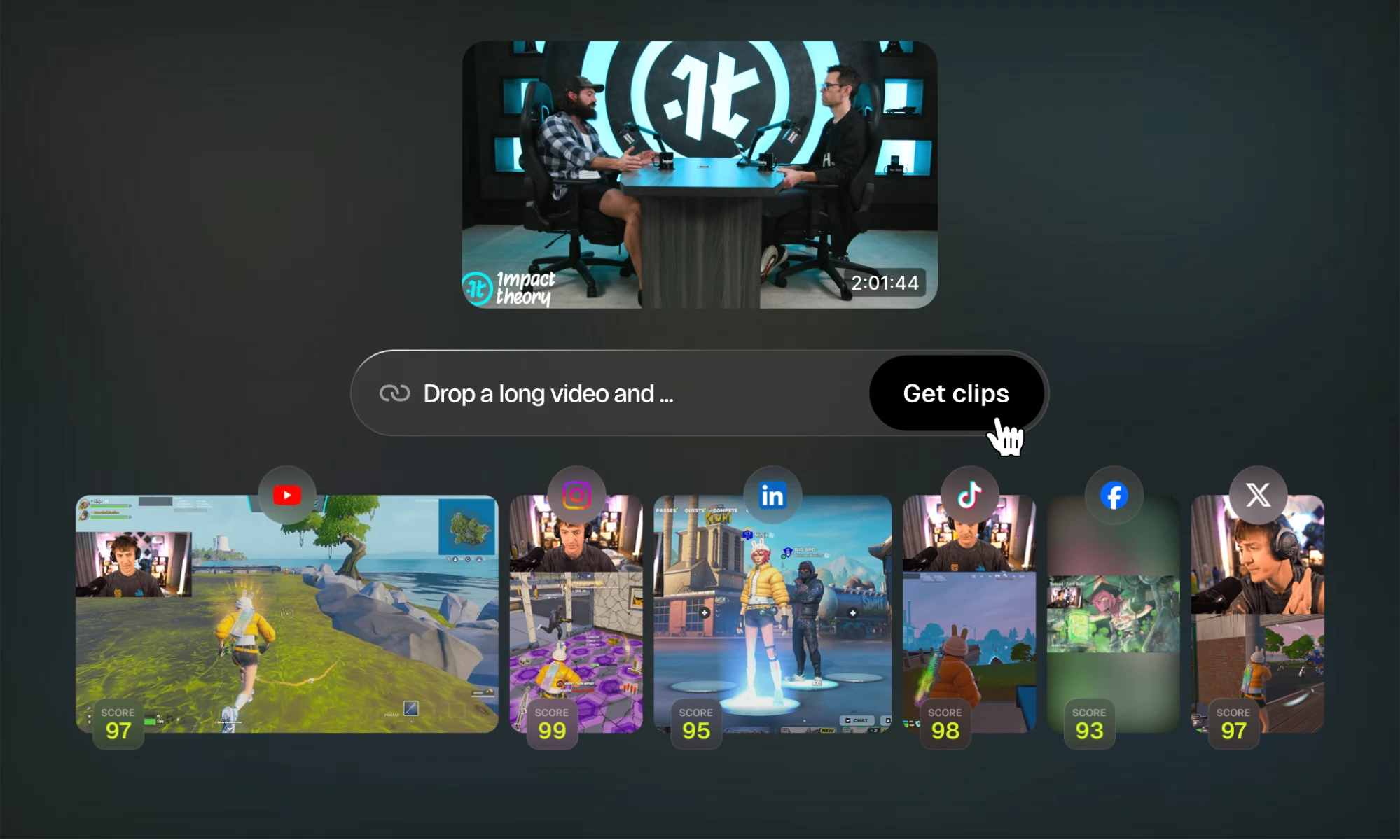
Image source: Opus Clip
To get started:
- Sign up for Opus Clip.
- Upload a long-form video or paste a YouTube link.
- Let the AI algorithms analyze and generate short clips.
- Review clips, edit captions, and adjust framing.
- Download your short-form videos or publish directly to social platforms.
Pricing
Opus Clip’s free plan offers 60 credits per month. Paid plans start at $15 per month for 150 credits. Large creator teams can consider their enterprise plan for advanced capabilities and priority processing.
6. Notion AI: Best AI for productivity and management
Notion AI is the ultimate project management and content strategy tool. This is Notion’s built-in assistant that helps you plan, write, and manage work in a single connected workspace.
It helps automate repetitive tasks within your workspace, and you can use it to track Google ads, perform keyword research, and manage marketing content calendars.
Key Features:
- Automate Repetitive Tasks: Saves time on repetitive tasks like summarizing.
- Notion AI Tools: Integrated AI content creation tools for project management.
- Workflow Automation: Connects your content creation tasks in one desktop app.
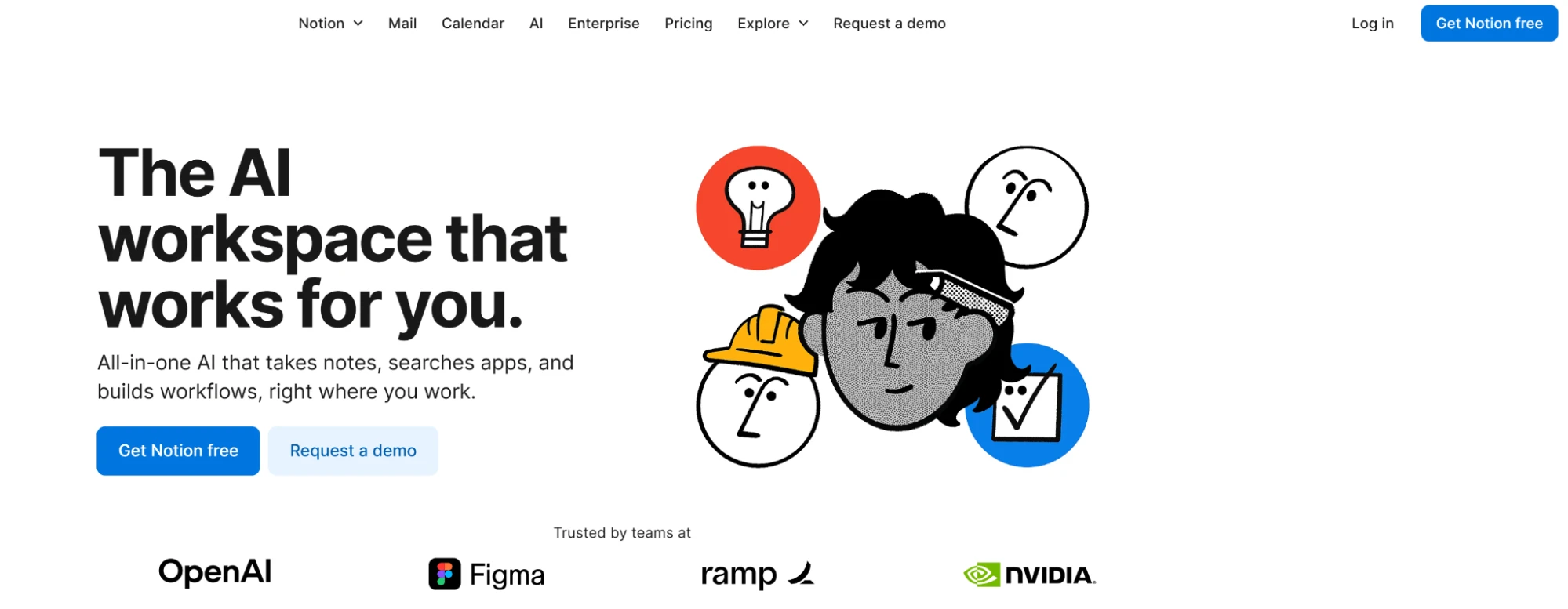
Image source: Notion AI
For creators managing multiple projects, Notion AI helps centralize everything, from deadlines, campaigns, and digital assets, building a single source of truth. The AI quickly answers questions about your workspace, saving time spent searching pages.
All of it saves time and energy that you can redirect toward content creation.
To get started:
- Create a Notion account and set up your workspace.
- Enable AI features from settings or prompt the AI-powered writing assistant with the space bar (can be done anywhere in your workspace).
- Type a question or instruction directly on any page.
- Review the output and refine it with follow-up prompts.
- Use it to organize your blog posts and social media posts.
Pricing
Notion AI is included in Notion’s Business ($24/user/month) and Enterprise plans, or as an add-on for others.
7. VEED: Best AI for influencer video creation
VEED is an all-in-one AI video platform that helps content creators turn ideas into polished videos without needing advanced editing skills. Its AI tools can generate videos, create avatars, add captions, clean up audio, and repurpose content for platforms like TikTok, Instagram, and YouTube.
For creators building a consistent online presence, VEED’s AI Influencer tool makes it easy to create a virtual influencer and produce videos around the same character or persona. You can generate a face, choose an AI avatar, or create a digital version of yourself, then use a prompt or script to produce a video with an AI voice, captions, music, and branding.
VEED also works well for creators who already have footage. Its AI video editor can automatically remove unwanted pauses, clean up audio, add subtitles, insert B-roll, and optimize videos for different platforms. This makes it useful for everything from social media content and product videos to YouTube Shorts and promotional campaigns.
Key Features:
- AI Influencer: Create a virtual influencer, choose an AI avatar, or clone your own face and build consistent video content around it.
- AI Video Creation: Generate videos from a text prompt or script with visuals, voiceovers, and captions.
- AI Video Editing: Automatically clean up footage, remove pauses, add subtitles, and insert B-roll.
- Content Repurposing: Turn existing videos into short-form content for platforms such as TikTok, Instagram Reels, and YouTube Shorts.
- AI Voice & Audio: Generate voiceovers, clone voices, clean audio, and add music to videos.
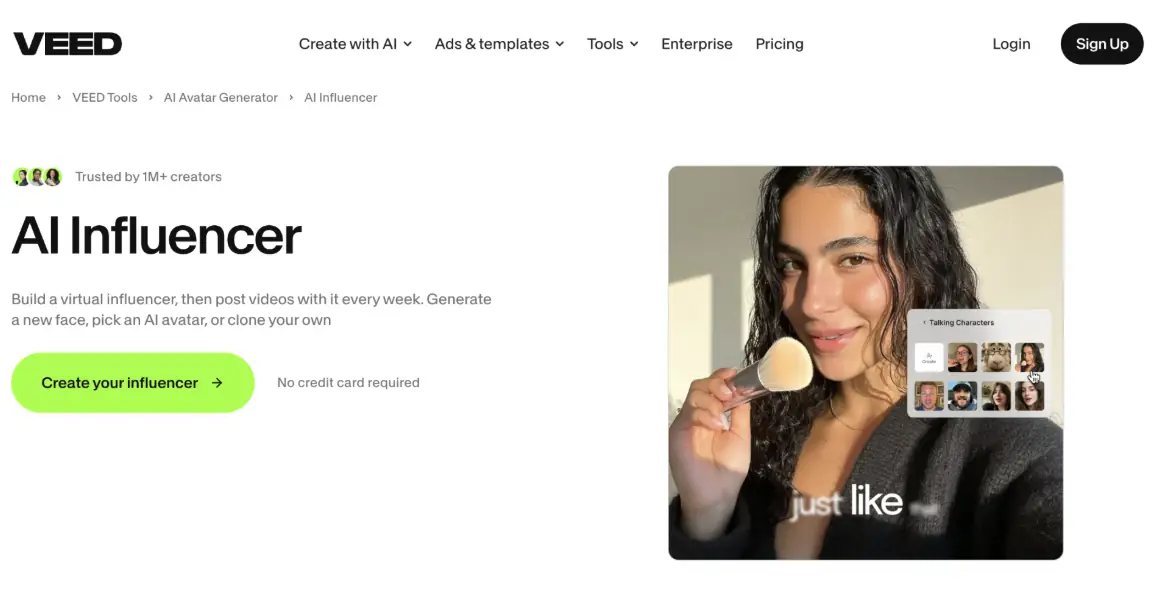
Image source: VEED.io
To get started:
- Sign up for VEED.
- Choose the AI Influencer tool or start a new AI video project.
- Create or select your avatar, enter a script or prompt, and customize the video.
- Add captions, music, branding, and your preferred format before exporting.
Pricing
VEED offers a free plan so creators can try its video creation and editing tools before upgrading. Paid plans provide access to additional features and higher usage limits, while teams and businesses can choose plans designed for larger-scale video production. Check VEED’s pricing page for the latest plan options and pricing.
8. DeeVid AI: Best AI for video generation and visual content creation
DeeVid AI is an all-in-one AI video generator built for creators who need high-quality video content without spending hours editing. Whether you’re turning a product photo into a short-form video, generating a clip from a text prompt, or creating social media ads, DeeVid helps speed up the production process with minimal technical skill required.
This is one of the best AI tools for content creators who want to produce videos for TikTok, Instagram Reels, YouTube Shorts, product campaigns, and branded social media posts. Instead of juggling multiple platforms for image generation, video generation, voice, music, and editing, DeeVid brings several creative tools into one simple AI-powered workspace.
For solo creators, marketers, and small teams, DeeVid is especially useful when you need to test ideas quickly. You can start with a prompt, an image, or an existing clip, then use AI to generate polished video content that feels ready for today’s fast-moving social platforms.
Key Features:
- Text-to-Video Generation: Turn written prompts into short AI-generated videos for social media, ads, and creative campaigns.
- Image-to-Video AI Tools: Animate product photos, portraits, or branded visuals into dynamic clips.
- AI Video Editing: Transform existing footage with video-to-video generation, visual effects, and creative style changes.
- Creator-Friendly Workflow: Great for short-form videos, social media posts, product demos, and marketing content.
- Multi-Tool AI Platform: Includes AI video, image generation, music, text-to-speech, and ad creation tools in one place.

Image source: DeeVid AI
To get started:
- Sign up on the DeeVid AI website.
- Choose whether you want to create from text, image, or video.
- Enter your prompt or upload your visual.
- Select the style, format, or model that fits your content goal.
- Generate, review, and download your video for social media or marketing use.
Pricing
DeeVid AI offers free credits for new users, making it easy to test the platform before upgrading. Paid plans unlock more credits, higher-quality exports, and more room to create videos for ongoing content production.
Key takeaways
FAQs about the best AI tools to generate content
What is a free AI tool for content creators?
ChatGPT, AI Humanizer, and Opus Clip all have free plans, while Murf has a free trial. All of these platforms also have paid models with stronger capabilities. Pick and use what works best for you.
What is content repurposing, and why is it important?
Content repurposing means presenting the same content in multiple formats. With videos, this means taking long-form content and shortening it into bite-sized clips for various platforms. You get more mileage out of content this way, and it’s great for engagement and maximizing ROI.
Do I need technical skills to use AI content creation tools?
Nope! Most AI tools are intuitive and use natural, conversational language to generate the ideas you’re looking for. This means that right out of the gate, they’re accessible for creators of all skill levels.
How can AI help creators stay consistent?
AI helps standardize workflows, tone, and output frequency. This allows you to stay on top of your schedule and produce quality content, even with limited resources and energy.
Wrapping up
AI content creation tools have redefined how we create content. With a few clicks and some generative AI, you can build high-quality output that ranks on search engines. Tools like Surfer SEO can help you further optimize written content. Start by using AI tools to automate repetitive tasks so you can focus on human creativity.
You don’t need a whole suite of tools to discover how powerful AI really is. At least, not right away. Remove your biggest bottlenecks, then add more as your workflow matures.
Automate the ache so you can finally accelerate the art.